> For the complete documentation index, see [llms.txt](https://docs.speedystaking.io/llms.txt). Markdown versions of documentation pages are available by appending `.md` to page URLs; this page is available as [Markdown](https://docs.speedystaking.io/nl/casper-netwerk/metamask/metamask-verstuur-usdcspr.md).
# MetaMask - Verstuur $CSPR
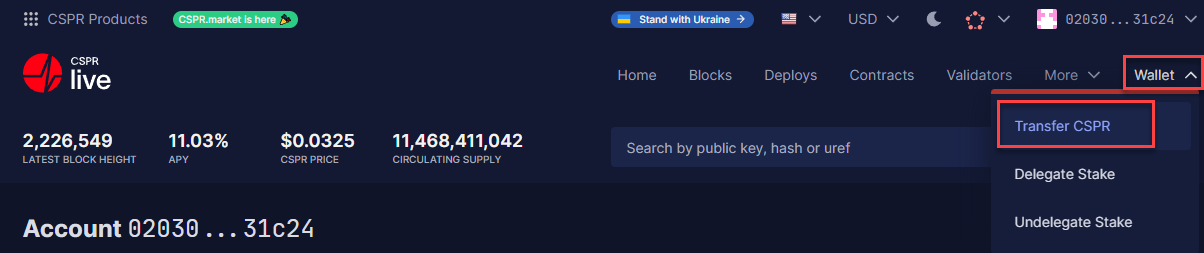
**Stap 1:** Beweeg je muis over '**Wallet**' aan de rechterbovenkant van je scherm en klik op '**Transfer CSPR**'.
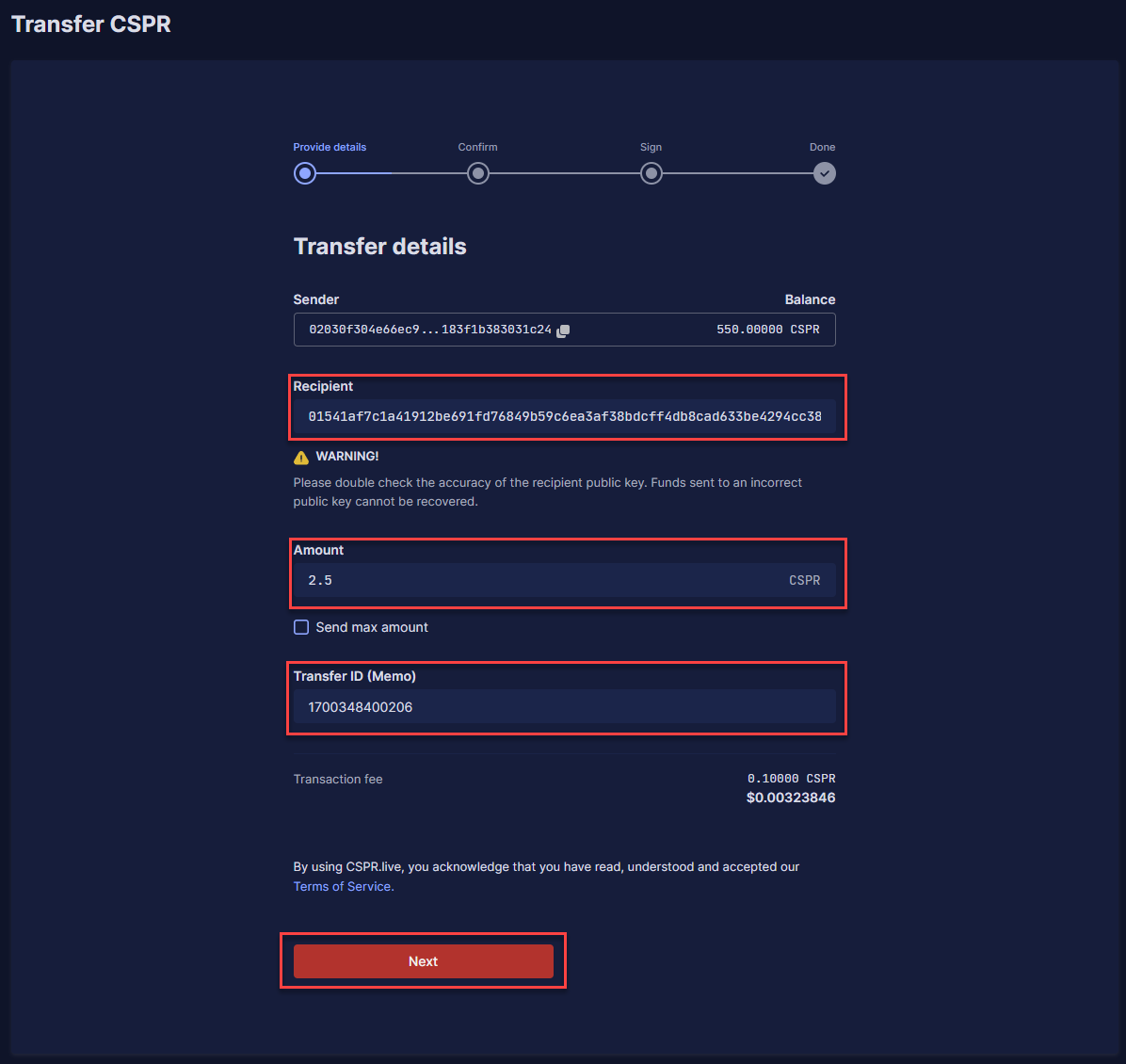
**Stap 2:** Vul de public key in waar je $CSPR naar toe wilt sturen onder '**Recipient**', de hoeveelheid $CSPR onder '**Amount**' en vul een specifieke Transfer ID in als dat nodig is onder '**Transfer ID (Memo)**'. Dit laatste is soms nodig als je $CSPR naar een exchange stuurt. Als dit niet nodig is kun je '**0**' invullen. Klik hierna op '**Next**'.
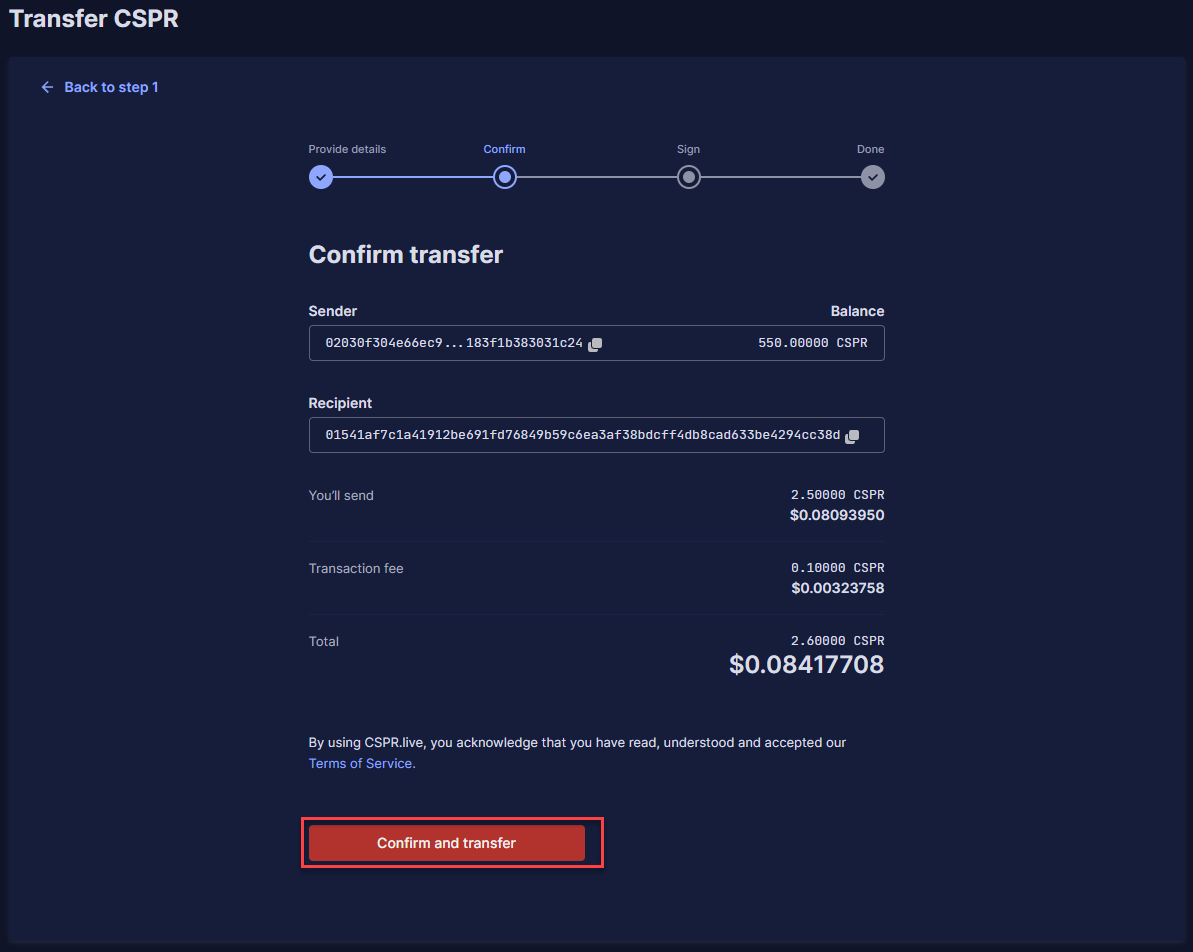
**Stap 3:** Controleer of de informatie juist is en klik op '**Confirm and transfer**'.
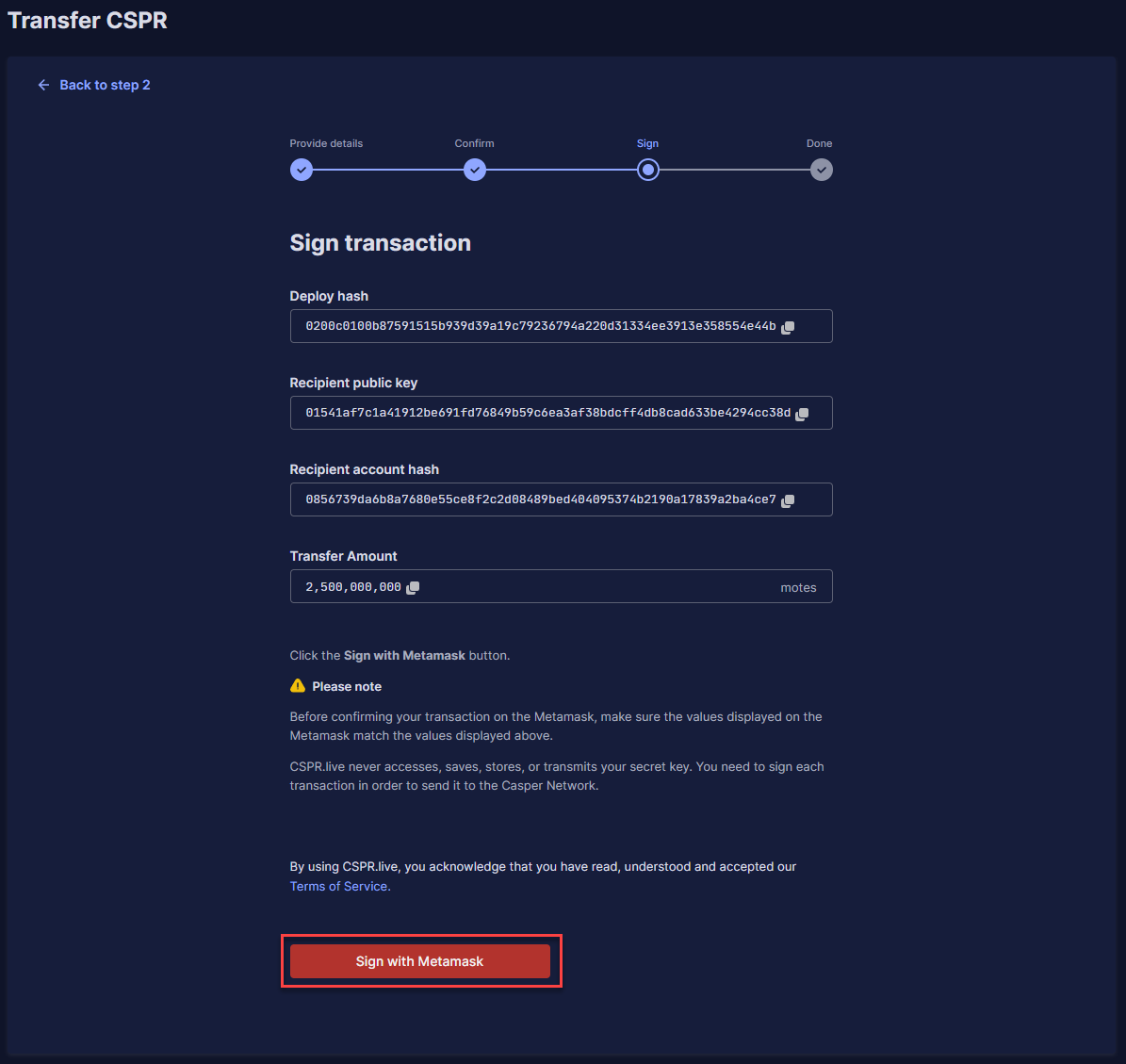
**Stap 4:** Je zult nu alle informatie over je transactie zien en je kunt op '**Sign with Metamask**' klikken.
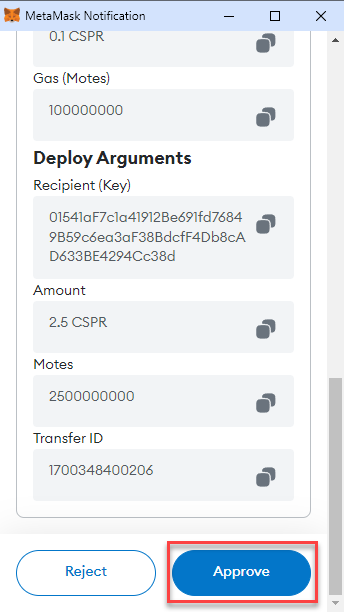
**Stap 5:** Scroll naar beneden en klik op '**Approve**' in de MetaMask extensie popup.
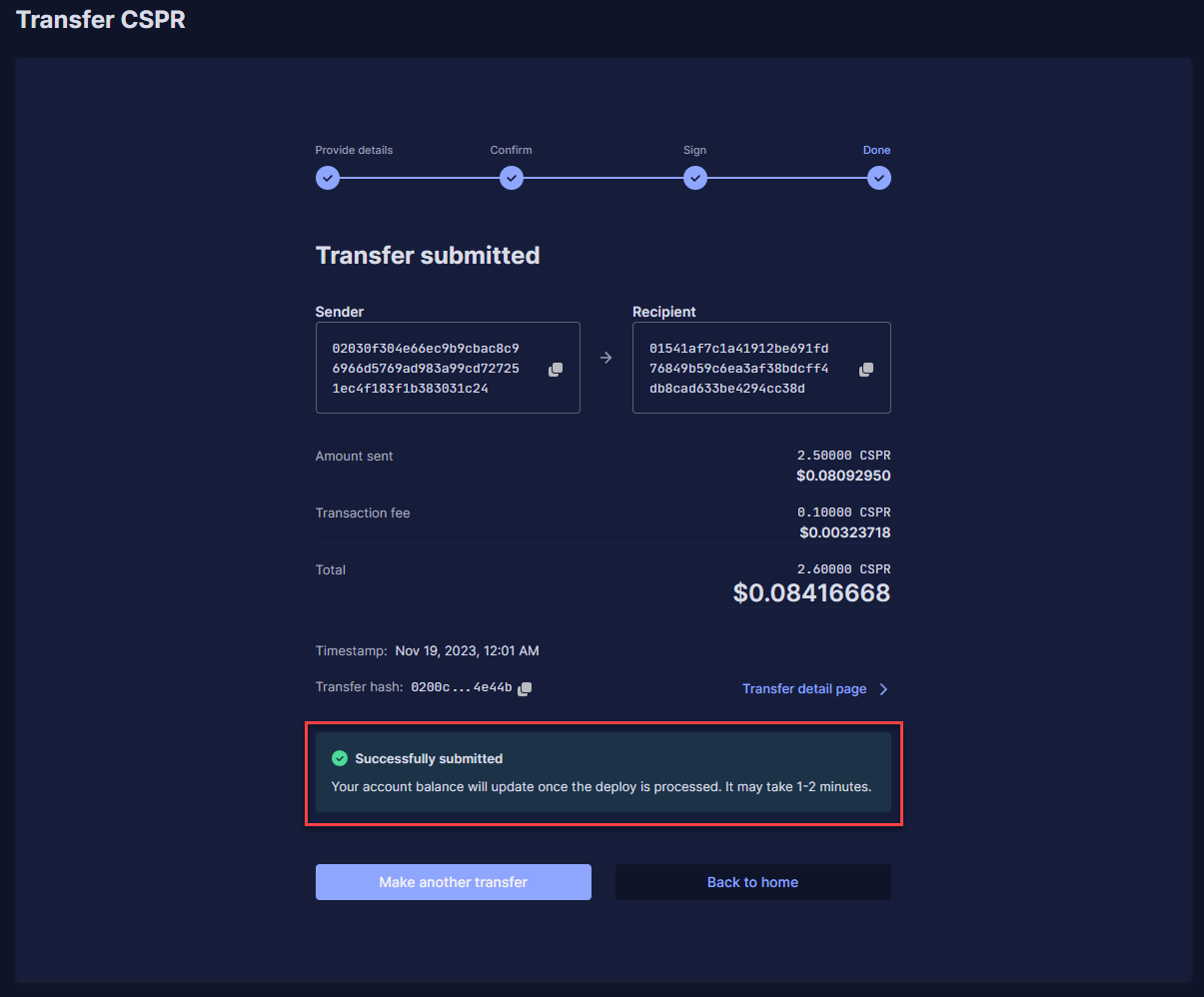
**Stap 6:** Je ziet nu de details van je succesvolle transactie.