> For the complete documentation index, see [llms.txt](https://docs.speedystaking.io/llms.txt). Markdown versions of documentation pages are available by appending `.md` to page URLs; this page is available as [Markdown](https://docs.speedystaking.io/tr/casper-network/metamask/metamask-delegate-stake-usdcspr.md).
# MetaMask - Delegate (Stake) $CSPR
**Adım 1:** '**Wallet**' öğesinin üzerine gelin ve sağ üst köşedeki '**Delegate Stake**' seçeneğini seçin.
**Adım 2:** '**Validator**' altında bir doğrulayıcı seçin (**Örneğin,Speedy Staking**) ve **'Amount'** altında delege etmek istediğiniz $CSPR miktarını girin. Bundan sonra, '**Next**' seçeneğine tıklayın.
{% hint style="warning" %}
**ÖNEMLİ: Gelecekte tokenlarınızı geri almak için bir miktar CSPR'ye ihtiyacınız olacağından, CSPR'nizin tamamını stake etmeyin.**
{% endhint %}
**Adım 3:** Bilgilerin doğru olup olmadığını kontrol edin ve '**Confirm and delegate stake**' seçeneğine tıklayın.
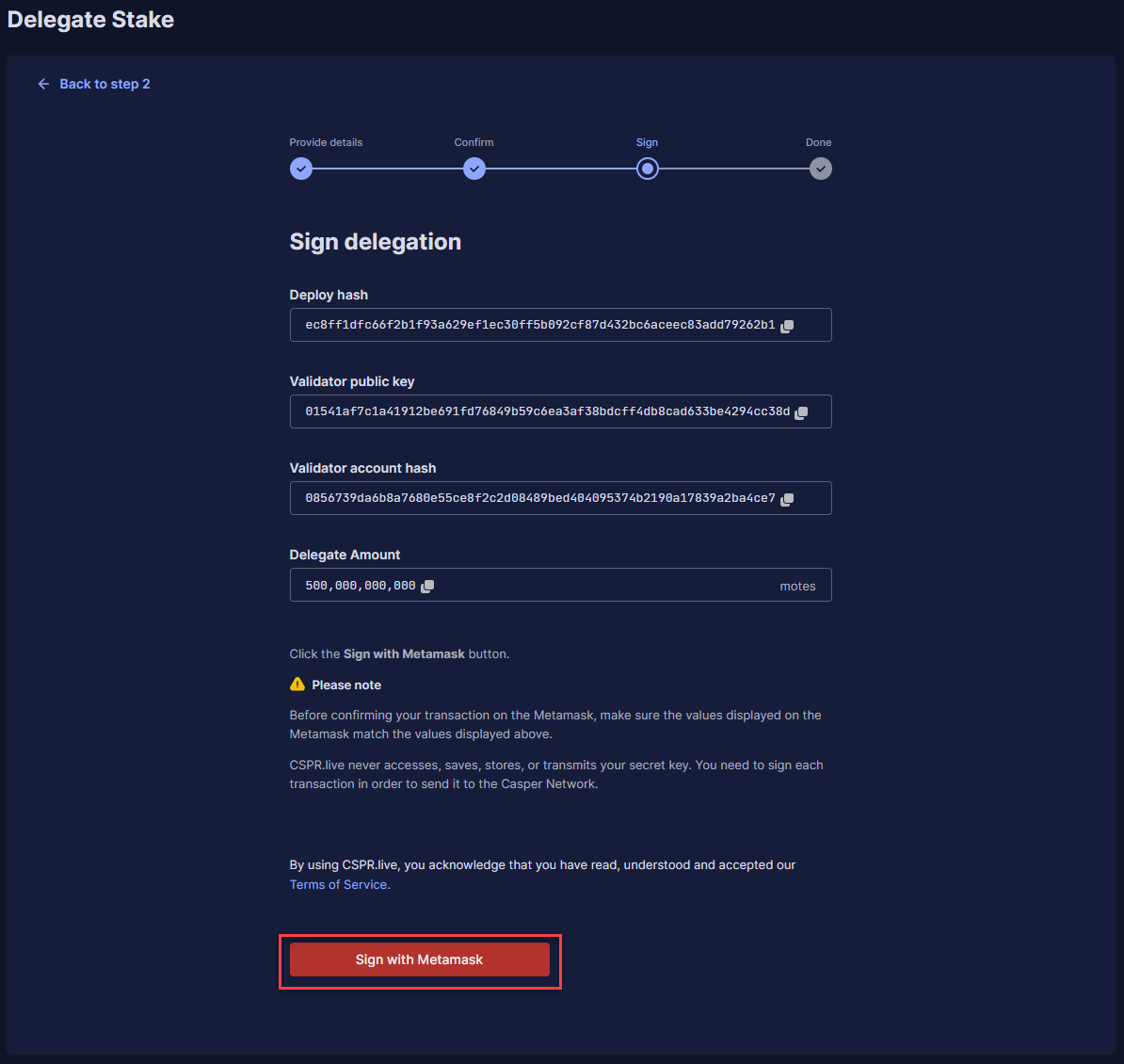
**Adım 4:** Şimdi size işleminizle ilgili tüm bilgileri gösterecek ve '**Sign with Metamask**' seçeneğine tıklayabilirsiniz.
**Adım 5:** Aşağı kaydırın ve MetaMask uzantısı isteminde '**Approve**' seçeneğine tıklayın.
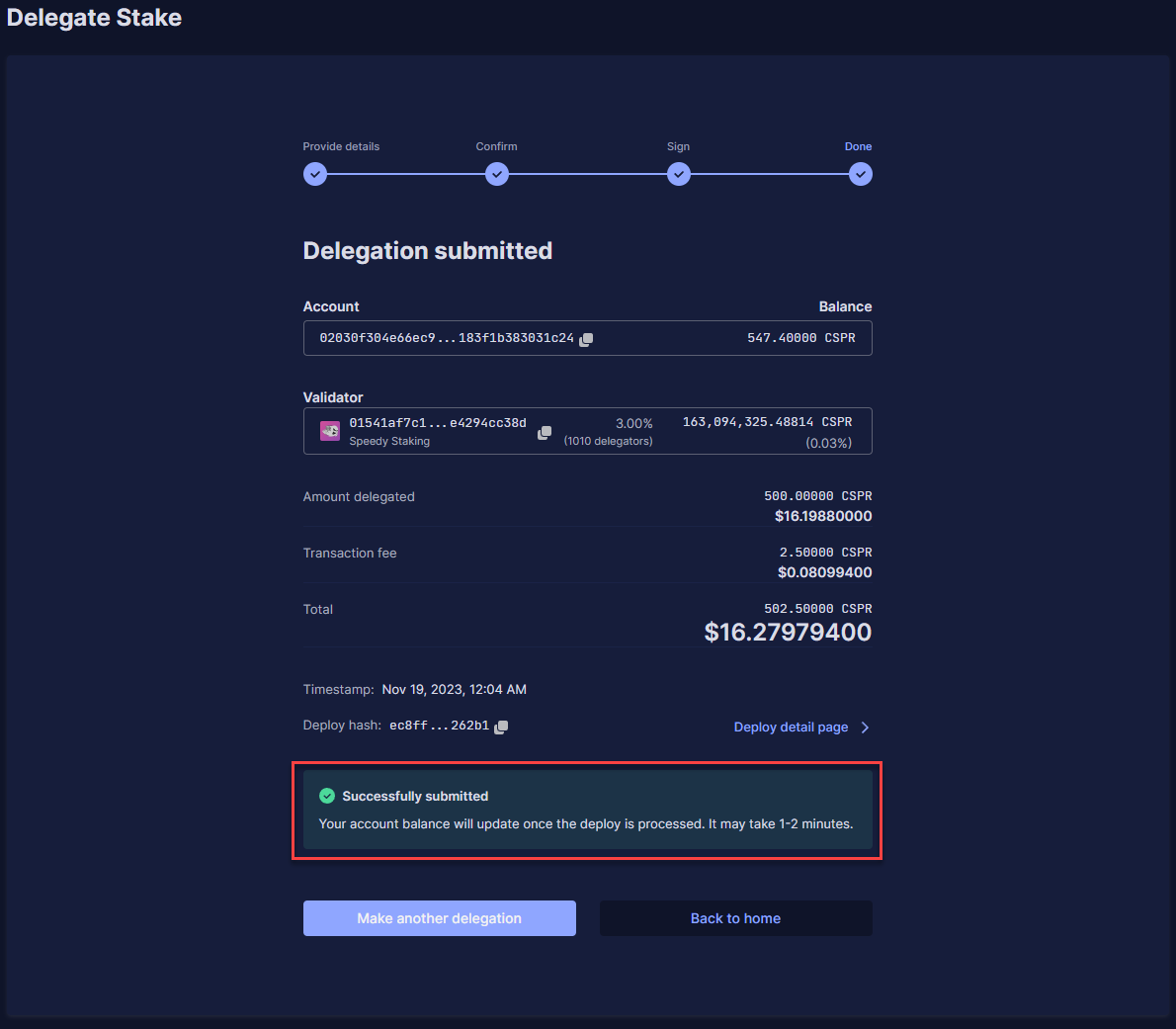
**Adım 6:** Başarılı delegasyonun ayrıntılarını göreceksiniz. Staking Ödüllerini \~4 saat sonra almaya başlayacaksınız. Daha sonra her ERA'da (\~2 saat) Staking Ödülleri alacaksınız.